Building separate apps for iOS and Android used to be the default path. Two codebases, two teams, and a constant back-and-forth just to keep both sides in sync. Most teams accepted it because cross-platform options didn’t really match native performance.
Flutter changed that equation.
Backed by Google, it started as an experiment in cross-platform UI but quickly turned into a serious choice for production apps. Today, it’s one of the most widely used frameworks in the mobile development space, with Statista reporting that around 46% of developers globally use Flutter for cross-platform development. You can view the data here:
That shift didn’t happen because it was trendy. It happened because teams could finally ship apps faster without completely sacrificing performance or design consistency.
Startups use it to launch MVPs quickly. Enterprises use it to avoid maintaining separate mobile stacks. And many product teams now rely on a Flutter app development company simply to reduce complexity while keeping delivery cycles predictable.
Still, the decision isn’t automatic. Flutter has clear strengths, but also real trade-offs depending on the product.
This article breaks down exactly why teams choose Flutter, where it fits best, and where it doesn’t.
What Is Flutter and Why It Has Become So Widely Adopted?
Flutter is an open-source UI toolkit created by Google that allows developers to build applications for multiple platforms using a single codebase.
Instead of separate app development for iOS, Android, web, and desktop, teams can maintain one system that works everywhere.
How Flutter Works?
Flutter is designed to remove the friction of traditional cross-platform development.
- Single codebase approach
One codebase runs across iOS, Android, web, and desktop. - Native compilation
Apps are compiled directly into native machine code, which improves performance and responsiveness. - Own rendering engine
Flutter doesn’t rely on OEM UI components. It draws everything itself, which keeps the UI consistent across devices.
Core Technologies Behind Flutter
A few core components define how Flutter performs in real-world applications:
- Dart programming language – Handles app logic and structure
- Skia rendering engine – Manages graphics and UI rendering
- Widget-based architecture – Everything in Flutter is a widget, which makes UI highly flexible
- AOT compilation – Improves runtime performance by compiling ahead of time
- Hot Reload – Allows instant updates during development without restarting the app
Why Businesses Started Adopting Flutter?
The shift toward Flutter is not just technical; it’s operational.
Key market pressures driving adoption:
- Rising cost of maintaining separate native teams
- Faster release cycles are expected by users
- Need for consistent UI across platforms
- Pressure to launch MVPs quickly
Why Startups and Enterprises Choose Flutter?
Different teams use Flutter for different reasons, but the outcome is similar: less complexity and faster delivery.
Startups
- Faster MVP development
- Lower upfront development cost
- Quick iteration cycles
Enterprises
- Easier long-term maintenance
- Shared codebase across teams
- Scalable architecture for large apps
- Consistent experience across platforms
Why Google’s Support Matters
Long-term confidence in a framework often depends on its backing.
- Regular updates and improvements
- Expanding ecosystem and package support
- Strong community growth
- Clear long-term roadmap
Because Flutter is backed by Google, it has remained stable and continuously evolving compared to many earlier cross-platform frameworks.
Transition to Next Section
This combination of technical design, business efficiency, and ecosystem stability is exactly why Flutter has become a default choice for many modern app teams.
Now the real question is what specifically makes businesses choose it over other cross-platform frameworks in real-world projects.
Top Reasons to Choose Flutter for App Development
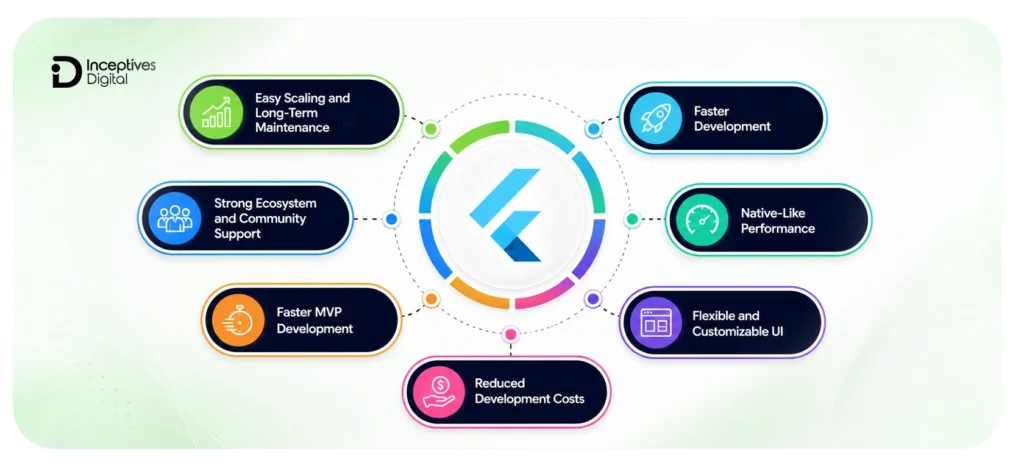
This is where most teams start getting serious about Flutter. Not because it looks interesting on paper, but because it solves problems that usually slow down product development: fragmented codebases, slow release cycles, and rising maintenance costs and efforts.
1. Single Codebase Across Multiple Platforms
Flutter allows teams to build applications using one codebase that runs across iOS, Android, web, and desktop.
- iOS
- Android
- Web
- Desktop
Instead of maintaining separate development teams for each platform, everything sits in one shared system.
What does this change mean in real projects?
- Less duplicated development effort
- Fewer inconsistencies between platforms
- Faster rollout of new features
- Lower long-term maintenance load
For product teams, the impact shows up after launch. Updates don’t need to be rewritten multiple times, and bug fixes reach all platforms at once. That alone changes how quickly teams can respond to user feedback.
2. Faster Development With Hot Reload
Hot Reload is one of the features that quietly changes the developer workflow.
It allows changes in code to appear instantly in the running application without restarting it.
What teams actually use it for?
- Real-time UI adjustments
- Faster debugging cycles
- Rapid design experimentation
- Continuous mobile app testing during development
Why it matters for business
Faster iteration doesn’t just help developers. It shortens the gap between idea and release. Teams can test features quickly, adjust based on feedback, and push updates without long development delays.
3. Native-Like Performance
Flutter is built to avoid the performance gap that many cross-platform tools struggle with. It uses AOT (Ahead-of-Time) compilation and its own rendering engine (Skia) to draw UI directly on the screen.
What this delivers:
- Smooth animations
- Stable frame rates
- Reduced UI lag
- Consistent performance across devices
Where this becomes important
- fintech applications with real-time data
- e-commerce apps with heavy UI interactions
- apps with animations or rich visual experiences
In practice, users don’t feel like they are using a “cross-platform” app.
4. Flexible and Customizable UI
Flutter’s widget-based system makes UI construction extremely flexible. Everything on screen is a widget, which gives developers full control over layout and design.
What teams can build easily?
- Custom layouts
- Animated interfaces
- Brand-specific UI systems
- Consistent design across platforms
This is one of the reasons Flutter is often chosen for apps where design matters as much as functionality. You don’t end up fighting the framework to match a design system. It adapts to it.
5. Reduced Development Costs
Reducing mobile app development cost is not just about fewer developers. It’s about reducing repetition across the entire development lifecycle.
Where savings actually come from
- One codebase instead of multiple native apps
- Smaller team requirements
- Less duplicated QA effort
- Simplified maintenance after launch
Over time, maintenance becomes the biggest cost driver in mobile development. Flutter reduces that pressure by centralizing updates.
6. Faster MVP Development
Startups don’t choose Flutter for architecture discussions. They choose it because it helps them ship faster.
Common use cases
- MVP development
- Early-stage product validation
- Rapid feature testing
- Investor-facing prototypes
The real advantage is the speed of feedback. Instead of waiting months, teams can validate mobile app ideas in weeks and adjust based on real user behavior.
7. Strong Ecosystem and Community Support
Flutter benefits from a growing ecosystem built around practical development needs.
Key ecosystem strengths
- Pub.dev package repository
- Wide range of open-source plugins
- Active global developer community
- Increasing enterprise adoption
Most common features already have ready-made solutions, which reduces the need to build everything from scratch.
8. Easy Scaling and Long-Term Maintenance
Scaling an app is usually where complexity starts to grow. Flutter handles this better because everything is centralized.
What does this enable?
- Centralized code updates
- Easier feature rollouts across platforms
- More predictable maintenance cycles
- Scalable architecture for growing products
As the application grows, teams don’t end up managing multiple disconnected systems. That keeps development predictable even at scale.
Flutter vs React Native: Which Framework Is Better?
This comparison shows up in almost every evaluation process. Teams rarely choose Flutter in isolation; they almost always weigh it against React Native before making a final decision.
Both frameworks support a cross-platform app development process, but they take very different technical paths to get there.
Performance Comparison
Performance is usually the first thing teams look at when comparing the two.
Flutter
- Uses its own rendering engine (Skia)
- Compiles to native machine code using AOT compilation
- Doesn’t rely on platform-native UI components
- Produces consistent frame rates across devices
React Native
- Uses a JavaScript bridge to communicate with native components
- Relies on platform-specific UI elements
- Performance depends on bridge efficiency and native module usage
- Can require optimization for smoother animations
What this means in practice
Flutter tends to feel more stable in UI-heavy applications, especially where animations, transitions, and real-time updates matter. React Native can perform well, too, but it often needs additional tuning in complex UI scenarios.
Development Experience
Both frameworks improve development speed, but the workflow feels different.
Flutter
- Hot Reload works at the UI and logic level
- Consistent development environment across platforms
- Strong built-in widget system
- Less dependency on external native components
React Native
- Hot Reload is supported, but behavior can vary
- Heavily depends on JavaScript and external libraries
- Easier adoption for teams already using React
- More flexibility in choosing third-party tools
Practical takeaway
Flutter feels more structured and unified. React Native feels more flexible but less standardized depending on project setup.
UI Flexibility
UI control is where the difference becomes very visible.
Flutter
- Everything is built using widgets
- Full control over UI rendering
- Pixel-perfect design consistency
- No dependency on native UI components
React Native
- Uses native components for UI rendering
- UI depends on platform behavior
- Easier to align with native look and feel
- Custom UI sometimes requires additional libraries
Real-world impact
Flutter is often preferred for apps that need highly customized UI systems. React Native works better when sticking closer to native platform design conventions.
Ecosystem and Community
Both ecosystems are strong, but they evolve differently.
React Native
- Backed by the broader JavaScript ecosystem
- Huge npm package availability
- Mature developer community
- Strong integration with web development stacks
Flutter
- Rapidly growing ecosystem centered around pub.dev
- Increasing enterprise adoption
- Strong Google-backed roadmap
- More curated package environment
Decision Comparison Table
| Factor | Flutter | React Native |
| Performance | High and consistent due to Skia rendering | Good, but depends on the JavaScript bridge |
| UI Consistency | Fully consistent across platforms | Depends on native components |
| Development Speed | Very fast with Hot Reload + unified system | Fast, especially for JS teams |
| Learning Curve | Dart required | Easier for JavaScript developers |
| Ecosystem Maturity | Growing rapidly | Highly mature |
| Custom UI Control | Very strong (pixel-level control) | Moderate, depends on libraries |
| App Stability | Very stable for complex UI apps | Stable but can vary with dependencies |
| Best Use Case | High-performance, custom UI apps | Simple apps, JS-based teams |
| Long-Term Scalability | Strong for multi-platform growth | Strong, but more dependency-driven |
When Flutter Is the Better Choice
Flutter tends to be the stronger option when:
- Building custom UI-heavy applications
- Developing high-performance apps with animations or complex interfaces
- Creating products that need consistent behavior across platforms
- Targeting long-term multi-platform scalability
It works especially well when UI control and performance consistency are priorities.
When React Native May Be a Better Fit
React Native often makes more sense when:
- The development team already has strong JavaScript or React expertise
- The application is relatively simple in UI complexity
- Faster onboarding of web developers is a priority
- The project relies heavily on existing React ecosystem tools
In these cases, React Native can reduce the learning curve and speed up early development.
Final Insight
There isn’t a universal winner between native vs cross-platform approaches here. The right choice depends on where the product is heading, not just how quickly it can be built.
Teams focused on UI control, performance consistency, and long-term scalability tend to lean toward Flutter. Teams focused on ecosystem familiarity and JavaScript-based workflows often stay with React Native.
Best Types of Apps to Build With Flutter
Flutter works across many categories, but some app types benefit from it more than others. The framework becomes especially valuable when products need fast updates, consistent UI, and support for multiple platforms without increasing development overhead.
1. E-Commerce Applications
E-commerce platforms need interfaces that feel fast and consistent from the homepage to checkout. Small UI issues can directly affect conversions.
Flutter helps maintain that consistency across devices while keeping development centralized.
Why Flutter works well for e-commerce apps
- Smooth product browsing and transitions
- Consistent shopping experience across platforms
- Easier scaling for growing product catalogs
- Faster rollout of new features and UI updates
It’s particularly useful for brands building mobile-first shopping experiences with custom design systems.
2. Fintech Applications
Fintech app development often involves live data, dashboards, transaction flows, and detailed user interactions. Laggy interfaces immediately hurt trust. Flutter’s rendering approach makes these experiences feel more responsive.
Why Flutter fits fintech products
- Fast rendering for real-time financial data
- Smooth animations for charts and dashboards
- Structured UI for complex workflows
- Consistent interfaces across devices
This makes Flutter suitable for digital wallets, banking apps, budgeting platforms, and investment products.
3. Healthcare Apps
Healthcare applications usually need accessibility, clarity, and multi-device support more than visual complexity. Flutter simplifies the healthcare app development process by allowing one shared experience across platforms.
Common healthcare use cases
- Telemedicine apps
- Appointment booking systems
- Patient dashboards
- Health monitoring applications
Why teams choose Flutter here
- User-friendly interface development
- Faster updates across platforms
- Easier maintenance for growing systems
- Consistent experience for patients and providers
4. On-Demand Service Apps
On-demand platforms rely heavily on real-time interaction. Users expect updates instantly, whether they are tracking deliveries or booking rides. Flutter handles these interaction-heavy workflows well.
Popular examples
- Food delivery apps
- Ride-sharing platforms
- Home service booking apps
- Logistics and tracking systems
Why Flutter works for these apps
- Smooth UI transitions
- Real-time interface responsiveness
- Consistent performance across devices
- Faster iteration of features and updates
5. Enterprise Applications
Enterprise software is usually built around scalability, workflows, and long-term maintainability. Flutter helps reduce fragmentation between internal systems while simplifying updates.
Common enterprise use cases
- Business dashboards
- CRM systems
- Workflow management tools
- Internal productivity applications
Why enterprises adopt Flutter
- Shared codebase across platforms
- Easier maintenance cycles
- Centralized feature deployment
- Scalable application architecture
6. MVPs and Startup Products
This is one of Flutter’s strongest use cases. Early-stage products need to move quickly. Long development cycles can delay validation, funding discussions, and market testing.
Why startups prefer Flutter
- Faster MVP launches
- Reduced development workload
- Quick prototyping and iteration
- Faster product validation with real users
Instead of building separate native apps from day one, startups can launch faster, gather feedback earlier, and refine the product without scaling engineering costs too early.
Popular Companies Using Flutter For Mobile App Development
Flutter’s growth didn’t happen in isolation. Large companies started adopting it because maintaining separate app ecosystems became expensive, slow, and difficult to scale over time.
What pushed Flutter into mainstream attention was the fact that recognizable global brands started using it in production environments, not just experiments or side projects.
1. Google
As Flutter’s creator, Google has used the framework across several internal and public-facing products. That level of internal adoption matters because it shows long-term confidence in the ecosystem rather than short-term experimentation.
Google has continued expanding Flutter beyond mobile into web, desktop, and embedded systems, which has strengthened enterprise trust in the framework’s future.
2. BMW
BMW adopted Flutter for parts of its customer-facing mobile experience to maintain consistency across platforms while simplifying development workflows.
For companies operating across multiple regions and devices, keeping branding and UI behavior aligned becomes difficult when separate native teams are involved. Flutter helps reduce that fragmentation.
3. Alibaba
Alibaba has used Flutter in sections of its ecosystem where fast rendering and responsive UI are important for user interaction.
Large-scale e-commerce environments constantly push updates, promotions, and interface changes. Flutter’s shared codebase approach helps reduce deployment complexity across platforms.
4. eBay
eBay has publicly discussed using Flutter for specific mobile experiences focused on performance and interface consistency.
For platforms with millions of users, even small differences between operating systems can create support and usability issues over time. Flutter helps standardize those experiences without maintaining completely separate UI systems.
What Businesses Gain From Using Flutter For App Development?
The biggest advantage these companies gain is not simply “cross-platform development.” It’s operational efficiency at scale.
1. Consistent branding across platforms
Flutter allows businesses to maintain the same mobile app branding and interface behavior across iOS, Android, web, and desktop without redesigning the experience separately for each platform.
2. Faster updates and feature rollouts
When features are built once and shared everywhere, release cycles become easier to manage.
That means:
- Faster deployment of updates
- Easier bug fixing
- Reduced coordination between platform teams
3. Better scalability
As products grow, maintaining separate native systems becomes increasingly difficult.
Flutter simplifies scaling by:
- Centralizing development
- Reducing duplicated code
- Keeping platform behavior consistent
4. Unified product experiences
Users expect apps to behave similarly across devices. Flutter helps businesses avoid the fragmented experience that often happens when platforms evolve independently over time. The result feels more cohesive from both the product and brand perspectives.
Pros and Cons of Flutter For Mobile App Development
Flutter offers a strong balance between development speed and long-term maintainability, but like any framework, it comes with trade-offs. Instead of looking at it in isolation, it helps to see both sides together.
Quick Overview: Pros vs Cons of Flutter
| Category | Strengths | Limitations |
| Development Speed | Single codebase, Hot Reload, faster iterations | Initial setup and learning Dart can slow onboarding |
| Performance | Near-native performance with smooth UI rendering | Slight overhead compared to fully native apps |
| UI Control | Highly customizable widget-based UI | Requires more effort for very platform-specific UI patterns |
| Maintenance | Easier updates across platforms from one codebase | Large-scale apps still need structured architecture discipline |
| Ecosystem | Growing package ecosystem, strong Google backing | Smaller ecosystem compared to JavaScript/React Native |
| App Size | Acceptable for most modern apps | Larger initial app size compared to native builds |
What does Flutter do well in real-world App development?
1. A unified development workflow
Flutter removes the need to maintain separate applications for different platforms. That shift alone changes how teams structure development, testing, and releases.
Instead of duplicating work across iOS and Android, teams:
- Build once
- Test once
- Deploy across platforms
It reduces operational friction more than it appears on paper.
2. Strong control over UI and design consistency
Flutter doesn’t rely on native UI components. That gives teams direct control over how every screen behaves and looks.
The outcome is usually:
- consistent design across platforms
- predictable UI behavior
- easier brand alignment
- smoother animations
3. Stable performance for most production apps
Flutter compiles into native machine code and handles rendering internally, which helps avoid performance bottlenecks seen in older cross-platform approaches.
In practice, apps feel:
- responsive
- fluid
- stable under normal load
- visually consistent
Where does Flutter still have limitations?
1. App size can increase
Because Flutter includes its own rendering engine, app binaries are usually larger than fully native builds. This may not matter for most apps, but it can affect lightweight or low-bandwidth use cases.
2. Dart requires onboarding time
Teams unfamiliar with Dart may need time to adjust, especially if they come from JavaScript-heavy environments.
This is usually a short-term friction point, not a long-term blocker.
3. Native-level integrations are still needed in edge cases
Most standard features are handled well, but some device-specific or OS-level functionality still requires native code.
When Flutter May Not Be the Right Choice?
Flutter is flexible enough to handle a wide range of applications, but there are still scenarios where it’s not the most practical option. This section is less about limitations and more about fit, because the framework works best when it aligns with the nature of the product.
1. Apps Requiring Deep Native Integrations
Some applications rely heavily on tight integration with platform-specific features that go beyond standard APIs.
In these cases, development often involves:
- Extensive native bridging
- Platform-specific code maintenance
- Repeated integration work across iOS and Android
While Flutter can still be used in such setups, the amount of native work reduces the benefit of a shared codebase. At a certain point, the simplicity advantage starts to shrink.
2. Platform-Specific Hardware Features
Apps that depend on advanced hardware-level functionality can be more complex to build with Flutter alone.
This includes scenarios like:
- Specialized Bluetooth or IoT device control
- Advanced camera pipelines or AR-heavy systems
- Sensor-driven applications with low-level OS access
Flutter supports many of these use cases, but often through plugins or native modules. That adds extra development layers compared to fully native implementations.
3. Ultra-Lightweight Applications
Not every app needs a full cross-platform framework.
For very small or lightweight applications, Flutter can feel heavier than necessary because it includes its own rendering engine and runtime components.
In cases where:
- The app has minimal UI complexity
- Performance demands are extremely simple
- Storage or download size must be minimal
A native or minimal framework approach may be more efficient.
4. Cases Where Native Development Makes More Sense
There are situations where native app development still provides a cleaner and more direct solution.
This usually applies when:
- The product depends heavily on platform-specific behavior
- Performance needs are extremely hardware-sensitive
- Long-term reliance on deep OS integration is expected
- Existing teams are already specialized in native stacks
In these scenarios, native development can reduce abstraction layers and give teams more direct control over the platform.
Is Flutter Good for Startups and Enterprises?
This is where the decision becomes practical. Startups and enterprises don’t evaluate Flutter in the same way, but both care about the same outcomes: speed, stability, and long-term control over development costs.
Flutter fits both, but for different reasons.
Why Startups Choose Flutter For Development?
Startups usually operate under tight aap development timelines and limited engineering resources. The focus is less on architectural perfection and more on getting a working product into the market quickly.
Key reasons Flutter works for startups
- Lower Initial Investment
A single codebase reduces the need for separate iOS and Android teams, which significantly cuts early-stage development costs. - Faster MVP Development
Teams can move from idea to working prototype quickly, which helps in pitching, fundraising, and early validation. - Rapid Iteration Cycles
Changes can be tested and released faster, making it easier to adjust based on real user feedback.
For startups, Flutter is often less about technology preference and more about speed to market.
Why Enterprises Adopt Flutter?
Enterprises evaluate frameworks differently. Stability, scalability, and long-term maintenance matter more than early launch speed.
Key reasons enterprises move toward Flutter
- Scalability Across Platforms
A single architecture makes it easier to expand applications without rebuilding separate platform-specific systems. - Maintenance Efficiency
Updates, bug fixes, and feature rollouts are managed from one codebase, reducing operational complexity. - Multi-Platform Consistency
User experience remains aligned across mobile, web, and desktop, which helps maintain brand and product consistency.
Enterprises also benefit from reduced fragmentation between teams, especially when managing large product ecosystems.
Long-Term Scalability Benefits
Beyond short-term development gains, Flutter also supports long-term product growth when used correctly.
What makes it scalable over time
- Centralized Development Workflow
All platforms are managed from a single codebase, which simplifies coordination across teams. - Easier Feature Expansion
New features can be deployed across platforms simultaneously without rewriting platform-specific logic. - Simplified Upgrades
Updates to core functionality can be rolled out consistently, reducing version mismatch issues.
Final Insight
Flutter fits both startups and enterprises, but not for the same reasons. Startups value speed and cost efficiency. Enterprises value consistency and long-term maintainability.
The real decision usually depends on where the product sits in its lifecycle, not just what the framework can technically do.
The Future of Flutter in App Development
Flutter is no longer positioned as just a mobile app development framework. Its direction has clearly shifted toward becoming a broader multi-platform UI toolkit, and that shift is shaping how teams think about long-term product strategy.
1. Flutter Beyond Mobile Apps
Flutter started with mobile, but its scope has expanded far beyond that initial use case.
Today, teams are exploring Flutter for:
- Cross-platform business applications
- Internal enterprise tools
- Embedded system interfaces
- Customer-facing multi-device products
This shift matters because it reduces the need for separate technology stacks as products grow into different environments.
2. Expansion Into Web and Desktop
One of Flutter’s major developments has been its steady expansion into web and desktop environments. Instead of treating mobile as the primary platform, Flutter now supports a wider ecosystem where applications can run across:
- Browsers
- Windows systems
- MacOS environments
- Linux-based systems
This creates a more unified development approach, especially for companies that want consistent UI behavior across devices without rebuilding applications for each platform.
3. Multi-Platform Development Trends
The broader industry is also moving in the same direction that Flutter supports.
Several patterns are becoming more common:
- Teams are reducing reliance on platform-specific development stacks
- Growing demand for unified user experiences across devices
- Increasing pressure to ship faster across multiple platforms
- Preference for shared codebases in long-term product planning
Flutter aligns well with these mobile app development trends because it reduces fragmentation between platforms and simplifies long-term maintenance.
4. Why Flutter Continues to Evolve
Flutter’s continued evolution is closely tied to active investment and ecosystem growth.
Several factors drive this forward movement:
- Ongoing development from Google
- Regular framework updates and performance optimization
- Expanding community-driven packages and tools
- Increasing adoption across startups and enterprise environments
As more companies adopt multi-platform strategies, Flutter continues to adapt in response to real-world production needs rather than staying limited to early-stage use cases.
How to Choose the Right Flutter App Development Partner?
Choosing the right mobile app partner can shape how smoothly a product is built, launched, and scaled. Flutter reduces a lot of technical complexity, but the quality of execution still depends heavily on the team behind it. This is where working with the right mobile app development company becomes a critical decision rather than just a procurement step.
Technical Expertise to Look For
A strong Flutter team should go beyond basic app building and understand how to structure applications for long-term scalability.
Key areas to evaluate
- Strong Understanding of Flutter Architecture
Ability to work with widget trees, state management, and performance optimization. - Experience With Dart and Native Bridges
Capability to handle both Flutter code and platform-specific integrations when needed. - Performance Optimization Skills
Knowledge of improving app responsiveness, reducing lag, and managing rendering efficiency.
Cross-Platform Development Experience
Not every development team that claims Flutter expertise has real cross-platform experience in production environments.
What matters here
- Proven Multi-Platform Deployments
Experience delivering apps across iOS, Android, web, and desktop. - Consistency in UI Across Platforms
Ability to maintain design and functionality without platform drift. - Handling Real-World Scaling Challenges
Experience with apps that grow beyond the MVP stage into production systems.
UI/UX Capabilities
Flutter gives flexibility, but design quality still depends on the team’s ability to translate ideas into usable interfaces.
What to look for
- Pixel-Accurate UI Implementation
Ability to convert designs into consistent Flutter widgets. - Strong Understanding of User Flow Design
Focus on usability, not just visual appeal. - Experience With Interactive Interfaces
Capability to build smooth animations and responsive layouts without performance issues.
Post-Launch Support and Maintenance
A Flutter application is not a one-time delivery. It evolves continuously based on user feedback, platform updates, and new feature requirements.
Important support areas
- Ongoing Bug Fixes and Updates
Continuous improvement after launch. - Version Compatibility Management
Ensuring apps stay aligned with new Flutter and OS updates. - Feature Scaling Support
Ability to expand functionality as the product grows.
Final Insight
The right mobile app development company does more than just write Flutter code. It shapes how efficiently a product evolves after launch. Strong execution here often has a bigger impact on long-term success than the initial development itself.
Conclusion
Flutter has become one of the most practical choices for modern app development because it balances speed, performance, and cross-platform consistency in a way that fits real product needs. It reduces the complexity of maintaining separate codebases, improves development speed with tools like Hot Reload, and delivers near-native performance across mobile, web, and desktop. At the same time, it’s not a universal solution. Trade-offs like app size, Dart adoption, and edge-case native integrations still matter depending on the type of product being built. The decision ultimately comes down to how well the framework aligns with the product’s long-term goals, not just its initial development speed.
For teams planning to build or scale a multi-platform product, exploring the right approach early can make the entire development process more predictable. Working with reliable Flutter app development services can help in making better architectural decisions, reducing technical risks, and ensuring the final product is built with both performance and scalability in mind from the start.
CTA SECTION START
cta title: Stop Overthinking Your App Idea and Start Building Something Real
cta des: Turn your idea into a scalable Flutter app with expert support, faster delivery, and a smooth launch that avoids costly rework.
cta button: Start Your Project
CTA SECTION END
Frequently Asked Questions About Flutter
1. Why choose Flutter over other cross-platform frameworks?
Flutter is preferred because it reduces development time with a single codebase while still delivering near-native performance and strong UI control. Compared to other approaches, it also simplifies long-term maintenance, especially for teams working on cross-platform app development, where consistency across devices matters.
2. Is Flutter cost-effective for building mobile apps?
Yes, Flutter helps reduce overall development and maintenance costs by removing the need for separate iOS and Android development teams. This becomes especially important when planning budgets for mobile app development costs, where long-term maintenance often makes up a significant portion of expenses.
3. What types of apps are best suited for Flutter?
Flutter works well for e-commerce apps, fintech platforms, healthcare solutions, and MVPs because of its flexibility and speed. It is often chosen in early-stage product planning, especially when teams are exploring top mobile app ideas and need to validate concepts quickly.
4. How does Flutter perform compared to native apps?
Flutter delivers smooth performance by compiling into native machine code and using its own rendering engine. For most real-world applications, performance gaps are minimal, especially when paired with proper mobile app performance optimization practices.
5. Is Flutter good for MVP development?
Yes, Flutter is widely used for MVPs because it allows faster prototyping and quicker iteration cycles. Startups often combine it with structured MVP mobile app development approaches to test ideas before scaling.
6. Can Flutter be used for enterprise applications?
Flutter is increasingly used in enterprise environments where scalability and consistency across platforms are important. Many businesses adopt it as part of their custom mobile app development strategy to streamline multi-platform product delivery.
7. How do businesses decide between Flutter and other frameworks?
The decision usually depends on project requirements, team expertise, and long-term goals. Companies often evaluate Flutter alongside broader strategies before choosing the final mobile app tech stack.
SIDEBAR LIST START
- Why Choose Flutter for App Development in 2026?
- What Is Flutter and Why It Has Become So Widely Adopted?
- Top Reasons to Choose Flutter for App Development
- Flutter vs React Native: Which Framework Is Better?
- Best Types of Apps to Build With Flutter
- Popular Companies Using Flutter For Mobile App Development
- What Businesses Gain From Using Flutter For App Development?
- Pros and Cons of Flutter For Mobile App Development
- When Flutter May Not Be the Right Choice
- Is Flutter Good for Startups and Enterprises?
- The Future of Flutter in App Development
- How to Choose the Right Flutter App Development Partner?
- Conclusion
- Frequently Asked Questions About Flutter
SIDEBAR LIST END