Choosing the Right Mobile Banking App Isn’t as Simple as It Looks
Open your phone right now and check how many financial apps you have. One? Maybe three? That’s already more interaction than most people have with a physical bank in an entire month.
That shift isn’t small. It’s structural.
Over 60% of all banking transactions now occur on mobile devices, and nearly 40% of users rely entirely on mobile banking, never visiting a branch.
So the question isn’t whether you should use a mobile banking app anymore. It’s whether you’re using the right one.
Because here’s the problem most people run into:
Not all banking apps are built the same. Some feel fast until you try to move money. Others promise “all-in-one” features but bury the basics under clutter. And a few look great on the surface but quietly charge fees you only notice later.
Behind the scenes, the gap comes down to how these apps are designed and engineered. A well-built product from an experienced fintech app development company focuses on speed, security, and real usability. The rest just try to keep up.
That’s exactly why this guide exists.
Instead of listing random apps, we’re breaking down the best mobile banking apps based on real performance, features, and everyday usability so you can actually pick one that fits how you manage money.
Let’s get into it.
How We Ranked the Best Mobile Banking Apps
Before comparing the best mobile banking apps, it’s worth understanding how they were evaluated. Most lists online lean heavily on brand reputation or surface-level features. That doesn’t help when you’re the one dealing with slow transfers, confusing interfaces, or unexpected fees.
This ranking is built around real-world usage. The focus is simple: how well each app performs when you actually rely on it for everyday banking.
Core Evaluation Factors For the Best Banking Apps
Each app was reviewed across the areas that directly impact your experience:
1. Ease of Use and Navigation
How intuitive the app feels from the first login
- Clean interface vs cluttered layout
- Speed of completing common actions (sending money, checking balances)
- Overall responsiveness
2. Core Banking Functionality
The basics should work flawlessly
- Transfers (ACH, peer-to-peer, internal)
- Mobile check deposit
- Bill payments
- Account management
3. Advanced Tools (Budgeting, Automation, Investing)
Features that go beyond standard banking
- Spending insights and categorization
- Automated savings tools
- Investment or credit tracking integrations
4. Fee Transparency
No one likes surprises
- Monthly maintenance fees
- Overdraft and ATM fees
- Clarity in pricing structure
5. Security Features
Non-negotiable in financial apps
- Biometric login (Face ID, fingerprint)
- Real-time fraud alerts
- Encryption standards
- Ability to freeze or lock cards instantly
6. Customer Support
Often overlooked until something goes wrong
- Availability (chat, phone, email)
- Response time
- In-app support experience
7. Scoring Breakdown
To keep things consistent, each factor was assigned a weight based on how much it impacts daily use:
| Factor | Weight |
| Usability | 25% |
| Features | 25% |
| Fees | 20% |
| Security | 20% |
| Support | 10% |
These factors help evaluate the best banking apps on how they facilitate consumers, instead of just the flashy features they offer. If an app cannot properly execute basic translations or has a hidden fee, it won’t rank despite offering investing opportunities or flashy AI tools.
Next, let’s look at how these apps stack up side by side.
Quick Comparison: Best Mobile Banking Apps at a Glance
If you want to get a quick overview of the best banking apps, instead of going through the detailed breakdown of every app, this snapshot is for you. It highlights the best-selling points of each app and key factors that actually matter in daily use.
| App | Best For | Fees | Standout Feature | Rating |
| Chime | No-fee banking | $0 | Early direct deposit | 4.8 |
| Chase | Full-service banking | Varies | All-in-one ecosystem | 4.7 |
| Bank of America | Smart insights | Varies | AI assistant | 4.6 |
| Wells Fargo | Security | Varies | Real-time alerts | 4.5 |
| Ally | Saving tools | $0 | Automated savings | 4.8 |
| Capital One | Credit + banking | $0 | Virtual cards | 4.7 |
| SoFi | All-in-one finance | $0 | Investing + loans | 4.8 |
| Discover | Debit rewards | $0 | Cashback debit | 4.6 |
| Varo | High-yield savings | $0 | Strong APY | 4.7 |
| Current | Budgeting | $0 | Spending insights | 4.5 |
How to Read This Table
- “Best For” helps you quickly match an app to your primary need
- Fees give you a quick sense of cost, but always check conditions
- Standout Feature highlights what makes each app different
- Rating reflects overall performance based on usability, features, and reliability
This is a quick comparison, not the final verdict. Some apps look the same here, but deciding which will be the best banking app for you is best done by evaluating how they actually perform.
Let’s break them down one by one.
Top 10 Best Mobile Banking Apps (Detailed Breakdown)
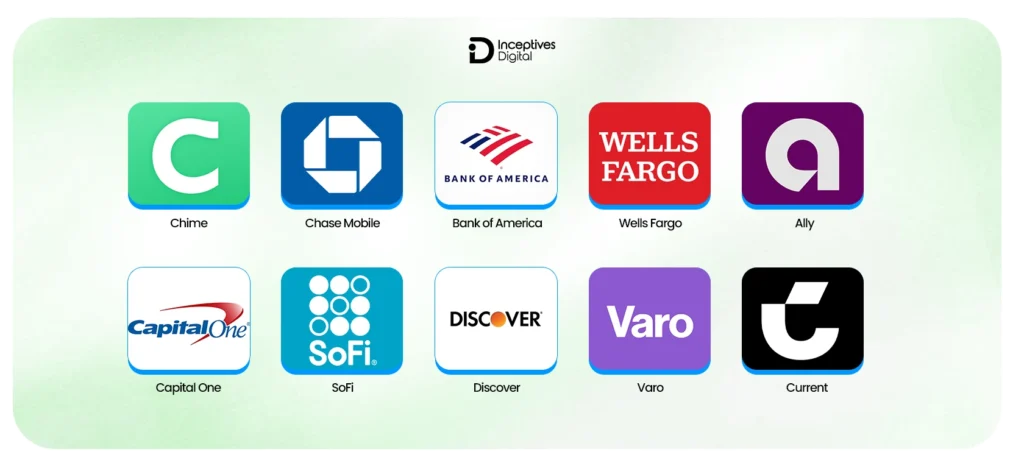
Here’s where things get practical. Instead of surface-level descriptions, this breakdown lists the top 10 best banking apps and focuses on what each app actually does well, where it falls short, and who it’s best suited for.
1. Chime – Best for Simple, No-Fee Banking
Why it stands out:
Chime has built its reputation around eliminating traditional banking fees. It’s one of the most downloaded digital banking apps, with over 10 million+ users and consistently high ratings across both app stores.
Key features:
- No monthly or overdraft fees
- Early direct deposit (up to 2 days)
- Automatic savings tools
Pros:
- Extremely simple and fast interface
- Great for first-time digital banking users
Cons:
- No physical branches
- Limited advanced financial tools
Best for: Everyday banking without complexity
2. Chase Mobile – Best for Full-Service Banking
Why it stands out:
Backed by one of the largest banks, Chase’s app supports 60+ million active digital users, making it one of the most widely used banking platforms.
Key features:
- Full banking ecosystem (checking, credit cards, loans, investing)
- Seamless account integration
Pros:
- Reliable and feature-rich
- Strong physical + digital banking combination
Cons:
- Fees apply unless the minimum requirements are met
Best for: Users who want everything in one place
3. Bank of America – Best for Smart Financial Insights
Why it stands out:
Its AI assistant “Erica” has handled over 1 billion client interactions, making it one of the most advanced AI-driven banking tools.
Key features:
- AI-powered spending insights
- Personalized financial recommendations
Pros:
- Strong automation features
- Helpful for tracking habits
Cons:
- The interface can feel slightly crowded
Best for: Users who want automated financial guidance
4. Wells Fargo – Best for Security and Alerts
Why it stands out:
Wells Fargo emphasizes security, with real-time fraud monitoring systems and customizable alerts used by millions of customers.
Key features:
- Instant transaction alerts
- Advanced fraud detection
Pros:
- Strong focus on account safety
- Custom alert settings
Cons:
- Less innovation compared to newer apps
Best for: Users who prioritize security and control
5. Ally – Best for Saving Automation
Why it stands out:
Ally consistently ranks high for savings tools, with billions in deposits managed digitally and strong customer satisfaction scores.
Key features:
- Savings buckets for goal tracking
- Automated saving tools
Pros:
- Excellent for building savings habits
- No monthly maintenance fees
Cons:
- No physical branches
Best for: Users focused on saving and financial planning
6. Capital One – Best for Credit and Banking Integration
Why it stands out:
Capital One serves 100+ million customers, offering one of the smoothest integrations between banking and credit products.
Key features:
- Virtual card numbers
- Credit tracking tools
Pros:
- Strong security for online transactions
- Easy credit card management
Cons:
- Some features depend on account type
Best for: Users managing both banking and credit
7. SoFi – Best All-in-One Financial App
Why it stands out:
SoFi has grown rapidly, serving 7+ million members, with a focus on combining multiple financial services in one app.
Key features:
- Banking, investing, loans, and credit tracking
- Financial planning tools
Pros:
- All-in-one platform
- Strong feature set
Cons:
- Can feel overwhelming for beginners
Best for: Users who want a single app for all finances
8. Discover – Best for Cashback Debit
Why it stands out:
Discover offers a rare feature: cashback on debit purchases, which is uncommon in traditional banking.
Key features:
- Cashback debit rewards
- No monthly fees
Pros:
- Rewards for everyday spending
- Simple interface
Cons:
- Limited advanced tools
Best for: Users who want rewards without credit cards
9. Varo – Best for High-Yield Digital Banking
Why it stands out:
Varo was one of the first fully digital banks to offer competitive high-yield savings rates without traditional bank overhead.
Key features:
- High APY savings
- No monthly fees
Pros:
- Strong savings potential
- Fully digital experience
Cons:
- Limited product ecosystem
Best for: Users focused on maximizing savings
10. Current – Best for Budgeting and Spending Control
Why it stands out:
Current has gained traction among younger users, with millions of accounts and a focus on real-time money management.
Key features:
- Spending insights and categorization
- Real-time notifications
Pros:
- Strong budgeting tools
- Clean and modern interface
Cons:
- Limited traditional banking features
Best for: Users who want better control over spending habits
This is the point where differences start to show themselves. Some apps focus on simplicity, while others provide advanced features, and some apps attempt to include all functions simultaneously.
Next, we will break down the essential features that users should consider when selecting one of the options.
Features That Actually Matter in a Mobile Banking App
Every banking app looks almost the same on paper. The actual differences show up after daily use of these banking apps. Some are extremely smooth, while some feel slow due to extra steps or missing features.
Focus on what really improves your day-to-day experience, rather than being distracted by long lists of features.
Essentials You Should Expect From a Top Banking App
These are non-negotiable. If an app struggles here, nothing else really matters.
- Instant Transfers
Payment transactions should execute swiftly. Reliability and speed are essential factors, whether for peer-to-peer or internal transfers. - Mobile Check Deposit
Still useful more often than you’d think. A good app processes checks quickly and gives clear status updates. - Bill Payments
Flexibility and reminders are important in financial operations. Scheduling and automating payments saves time and helps avoid late fees. - Real-Time Notifications
An immediate alert must be raised for each transaction, deposit, and any irregularity. This is not merely a feature but an essential component for security.
Advanced Features Worth Considering
So, these are not must-have features, but they can effectively help you better control your money.
- AI-Driven Insights
Due to the rapid advancement in fintech app development, some apps now analyze your spending and offer suggestions. The useful ones highlight patterns, not just raw data. - Subscription Tracking
Helps you see recurring charges you might otherwise forget. Especially valuable if you use multiple services. - Virtual Cards
Adds a layer of security for online purchases by generating temporary card numbers. - Investment Integrations
Helps you handle your savings, stock investments, and cryptocurrency holdings through a single application. It provides optimal benefits to users who prefer to access all features from a single place.
A top banking app should accurately perform basic operations, because advanced features are just a bonus, not a replacement for the basic must-have features.
Security Features in the Best Mobile Banking Apps
Security is a red line when comparing the best mobile banking apps. A banking app with a good UI/UX design is of no use until it ensures rock-solid security and transparency.
Most top banking apps follow the industrial standards, but the difference depends on how fast they can detect threats and how quickly you can respond.
Core Security Features to Look For in Mobile Banking Apps
Here is a feature set required for a secure mobile banking app:
- Biometric Authentication
The best mobile banking applications protect user access through fingerprint and facial recognition technology. Passwords provide a basic security measure that gets enhanced through additional authentication methods. - Advanced Encryption Standards
End-to-end encryption is a no-compromise solution for data protection. It makes sure full proof security for sensitive information like account details and transactions every time. - Real-Time Fraud Monitoring Systems
Leading banking apps track unusual activity instantly. Whether it’s a suspicious login or an unexpected transaction, you should be notified immediately. - Instant Card Freeze and Account Control
Instant freezing solution of debit or credit cards is an essential feature to get featured in the best banking apps list. It provides instant control to the users instead of carrying out the long process of customer support.
Quick Safety Checklist for Choosing the Best Banking App
You can use this quick checklist to evaluate a banking app before choosing:
- Are transaction alerts instant?
Provide users with immediate notifications about their financial transactions. - Can customers use the service to lock their cards or accounts?
Fast action can prevent financial loss. - Is the login protected beyond just a password?
Search for multi-factor authentication as well as biometric security.
An app cannot be considered among the best banking apps if it lacks security measures and fails to provide full control to users. Preventing threats is not the only goal, but to ensure you can act as soon as possible if something goes wrong.
Mobile Banking Apps vs Traditional Banking: What’s the Real Difference?
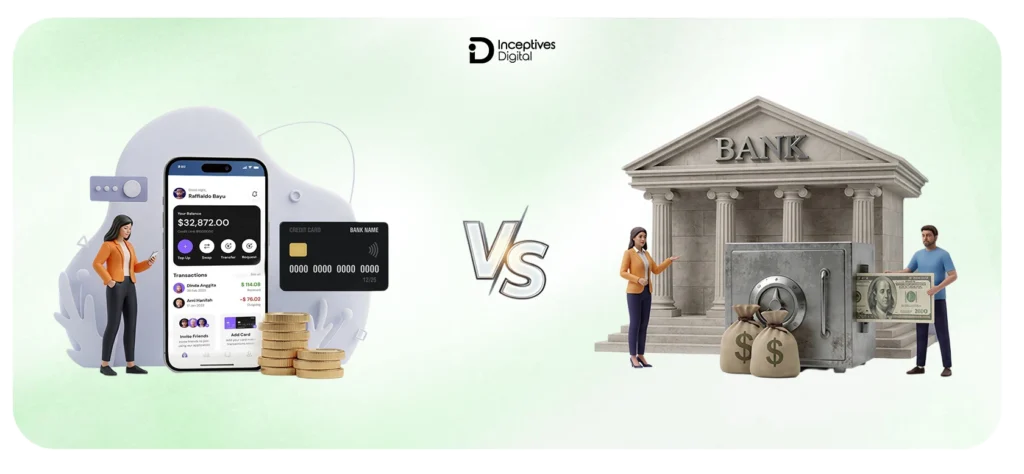
Convenience is not the only factor in comparing the banking apps to traditional banking; the fact is that it is more about enhancing efficiency in daily financial management.
Mobile banking has drastically changed consumer expectations. Speed, accessibility, and control are the new standards to be called the best banking app. Here is a side-by-side comparison of mobile banking apps and traditional banking.
Side-by-Side Comparison
| Feature | Mobile Banking Apps | Traditional Banks |
| Convenience | High | Moderate |
| Fees | Lower | Higher |
| Accessibility | 24/7 | Limited hours |
| Innovation | Fast | Slower |
What This Actually Means for You
- Convenience
The best mobile banking apps let you handle everything from transfers to deposits in seconds. Traditional banks still rely on in-branch processes for certain tasks. - Fees
Many mobile banking apps reduce or eliminate common fees like monthly maintenance or overdrafts. Traditional banks often keep these unless you meet specific conditions. - Accessibility
With mobile apps, your bank is always available. Traditional banking still depends on branch timings, which can slow things down when you need quick access. - Innovation
Mobile-first apps roll out features faster, from budgeting tools to real-time insights. Traditional banks tend to move more slowly due to legacy systems.
Key Insight
The best banking apps today are often backed by established financial institutions. They combine the reliability of traditional banking with the speed and usability of modern mobile apps, giving you the best of both worlds.
Common Mistakes to Avoid When Choosing a Banking App
With so many banking apps available on App stores, the chance of error in selecting the right options is very high. Here are the common pitfalls that you have to avoid in choosing the best mobile banking app for yourself.
1. Choosing Based on Brand Familiarity Alone
Don’t get captivated by the popularity of a banking app. Choose a mobile-first option that is not slower, cluttered, or limited in terms of control. Check community reviews instead of blindly driven by the popularity of the application.
2. Ignoring Hidden Fees
Be extra careful about the hidden fees, because banking apps sometimes claim “no monthly fees” but actually charge for transfers, external network ATMs, or overdrafts. The best way is to read the fine print before finalizing.
3. Overlooking User Experience
A feature-packed app becomes useless if users face difficulties in navigation. Smooth design elements, fast loading capabilities, and user-friendly menu features are important to function effectively.
4. Not Checking Real User Reviews
App store ratings show users recurring problems that include software glitches, system crashes, and inadequate customer assistance. You might experience problems upon skipping this particular step.
5. Picking Features You Won’t Actually Use
Focus on the main point without letting these extra features distract your attention. Advanced tools, such as investing, subscription tracking, and AI insights, have value only when you intend to use them. Simplicity usually succeeds as the better option.
Avoiding these mistakes will help you make a confident decision in selecting the best mobile banking app that fits your personal style, as well as save your time and protect your money
Are Mobile Banking Apps Safe?
Short answer: Yes, the best mobile banking apps are built with security at their core and are generally as safe as traditional banks. In some areas, they even offer more control and faster threat detection.
How Safe Are Mobile Banking Apps Today?
- Backed by Insured Financial Institutions
Most reputable mobile banking apps are partnered with licensed banks, which means your funds are typically protected under the same insurance frameworks as traditional accounts. - Security Standards Match Traditional Banks
The best banking apps use advanced encryption, secure servers, and continuous monitoring systems. Some platforms are also starting to explore blockchain app development approaches to enhance transparency and reduce fraud risks in financial transactions.
Where the Real Risk Comes From
Even the most secure mobile banking app can’t fully protect against risky user behavior. The biggest threats usually come from:
- Weak or reused passwords
- Phishing scams and fake emails
- Using public or unsecured Wi-Fi networks
What You Can Do to Stay Protected
- Enable biometric login and multi-factor authentication
- Avoid clicking on suspicious links or messages
- Regularly check your transaction history
- Use secure, private networks for banking activities
The bottom line:
The best mobile banking apps combine strong security systems with user control. In addition, blockchain app development in business has brought in better security and transparency in the financial sector. As long as you follow basic safety practices, they’re a safe and reliable way to manage your finances.
How to Choose the Right Mobile Banking App
With so many options available, picking the best mobile banking apps can feel overwhelming. The key is to focus on what actually matters to your daily financial habits instead of getting distracted by extra features.
Step 1: Identify Your Primary Goal
Start with a simple question: What do you need this app for?
- Everyday spending and transfers
- Saving money and building habits
- Managing credit or investments
The best banking app for you depends on this. A feature-rich app isn’t useful if it doesn’t align with your main goal.
Step 2: Compare Features That Actually Matter
Not all features carry equal weight. Focus on:
- Speed of transactions
- Ease of navigation
- Reliability of core banking functions
- Useful extras like budgeting or automation
The best mobile banking apps excel at the basics first, then add meaningful features on top.
Step 3: Review Fee Structures Carefully
Even top-rated apps can have hidden costs. Look closely at:
- Monthly maintenance fees
- ATM withdrawal charges
- Overdraft or transfer fees
Transparent pricing is a strong sign of a trustworthy mobile banking app.
Step 4: Test the App Experience Before Committing
Most apps are free to download, so take advantage of that.
- Explore the interface
- Check how quickly actions can be completed
- Read recent user reviews for performance issues
A smooth, responsive experience is often what separates the best mobile banking apps from the rest.
Choosing the right app isn’t about finding the most popular option. It’s about finding one that fits how you manage your money every day.
Future Trends in Mobile Banking Apps
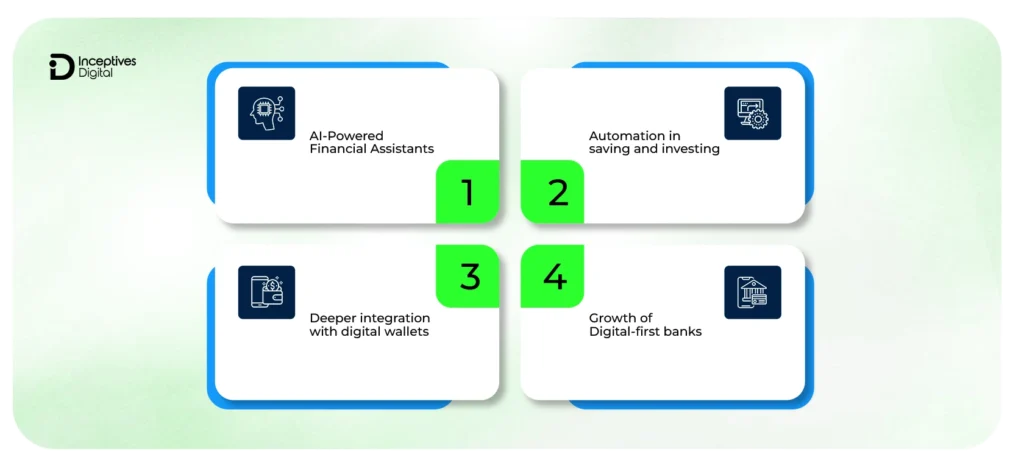
The best mobile banking apps are evolving fast. What used to be simple transaction tools are now turning into full financial ecosystems. If you’re choosing a banking app today, it’s worth looking at where things are heading, not just where they are now.
1. AI-Powered Financial Assistants
AI is becoming a core feature in modern mobile banking apps. Instead of just showing your balance, apps are starting to:
- Analyze spending habits
- Predict upcoming expenses
- Offer personalized savings suggestions
The goal is simple: turn raw data into actionable insights so you can make better financial decisions without extra effort.
2. Automation in Saving and Investing
Automation is quietly becoming one of the most valuable features in the best banking apps.
- Auto-save based on spending patterns
- Round-up transactions into savings
- Automated investing based on goals
This reduces the need for manual tracking and helps users stay consistent with their financial plans.
3. Deeper Integration with Digital Wallets
Mobile banking apps are no longer standalone platforms. They’re integrating more deeply with digital wallets and payment ecosystems.
- Seamless payments through mobile devices
- Faster peer-to-peer transfers
- Unified view of multiple accounts and cards
This makes managing money more fluid across different platforms.
4. Growth of Digital-First Banks
Digital-only banks are pushing traditional institutions to evolve.
- Lower fees due to reduced overhead
- Faster feature updates
- Mobile-first user experience
As competition increases, even established banks are investing heavily to match the speed and innovation of these platforms.
The takeaway:
The best mobile banking apps are moving toward automation, intelligence, and seamless integration. Choosing an app that’s already adapting to these trends can save you from switching again in the near future.
Final Thoughts
The decision of choosing the best banking app for you depends on how you want to manage your daily financial tasks. The right option is not the most popular one, but the one that smoothly handles your core needs, ensures maximum security, and does not frustrate you at times you need it the most.
The gap between average-built and well-developed banking apps will get wider, amid the fast evolution of mobile apps. Behind every strong strategy and execution of the best banking apps, there is always an experienced mobile application development company in USA that knows in-depth about both user behaviour and mobile app tech stack for financial systems. If you are exploring digital banking or want to find the right banking app for your finances, pay attention to the details we have discussed in the blog. It will definitely make a huge difference.
CTA SECTION START
cta title: Build a Mobile Banking App that Users Trust and Use Daily
cta des: Planning your own fintech product? Learn what makes the best mobile banking apps successful and turn your idea into a seamless, secure experience.
cta button: Start Your App Project
CTA SECTION END
FAQs About the Best Mobile Banking Apps
The best mobile banking app depends on your needs. If you want no fees and simplicity, apps like Chime work well. For a full-service experience, options like Chase or SoFi offer a broader range of financial tools.
Several mobile banking apps offer zero monthly fees, including Chime, Ally, Capital One, Varo, and Discover. However, it’s still important to check for conditions related to ATM usage or overdrafts.
Yes, the best mobile banking apps are highly secure. They use encryption, biometric logins, and real-time fraud monitoring. Most are also backed by insured financial institutions, making them as safe as traditional banks.
Apps like Ally and Varo are often considered among the best banking apps for saving money due to their high-yield savings options and automated tools that help you build consistent habits.
Yes, many mobile banking apps are fully digital and don’t require any branch visits. You can open accounts, transfer money, deposit checks, and manage everything directly from your phone.
SIDEBAR LIST START
- Top 10 Best Mobile Banking Apps
- Choosing the Right Mobile Banking App Isn’t as Simple as It Looks
- How We Ranked the Best Mobile Banking Apps
- Quick Comparison: Best Mobile Banking Apps at a Glance
- Top 10 Best Mobile Banking Apps (Detailed Breakdown)
- Features That Actually Matter in a Mobile Banking App
- Security Features in the Best Mobile Banking Apps
- Mobile Banking Apps vs Traditional Banking: What’s the Real Difference?
- Common Mistakes to Avoid When Choosing a Banking App
- Are Mobile Banking Apps Safe?
- How to Choose the Right Mobile Banking App
- Future Trends in Mobile Banking Apps
- Final Thoughts
- FAQs About the Best Mobile Banking Apps
SIDEBAR LIST END