Why Android App Development Tools Matter in 2026?
The demand for high-performance, highly responsive apps across devices, including smartphones, smartwatches, tablets, and even smart TVs, has increased the complexity of developing Android applications. In addition, the Android market is highly competitive, with hundreds of applications entering the market every day. As a result, users quickly remove poorly performing apps from their mobile devices, which makes it imperative for developers to leverage the most effective Android app development tools.
Such tools should not only help developers develop apps rapidly but also ensure that these apps perform optimally and scale effectively in the future. According to the latest global mobile app download statistics from Statista, some of the top Android apps continue to dominate.
In such an environment, the involvement of a reputable Android app development company is essential to make the most of the app development process. It is important that an expert development team has the experience to select the appropriate architecture for the project’s needs.
Best Android App Development Tools
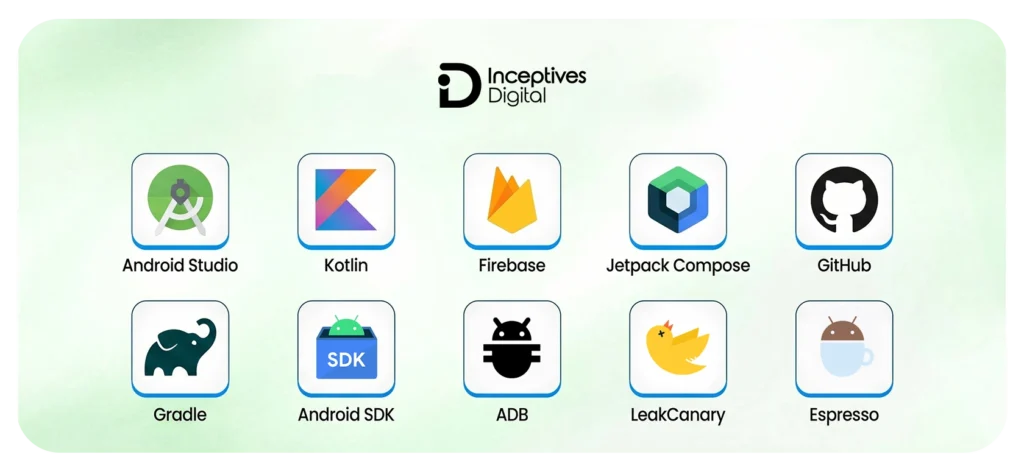
The Android application development tools to be used are very important for building efficient apps. Android Studio, an important tool for Android app development, is one such tool, alongside Kotlin and Firebase for backend development. The Jetpack Compose tool is used for building user interfaces. GitHub can be used for collaboration.
Android Studio
Android Studio is the official IDE for Android, created by Google. The IDE bundles all necessary utilities into a single program, including code editors, virtual device emulation, and debugging support. Using Android Studio, developers can create, debug, and optimize their applications.
The development features offered by Android Studio will have been significantly improved through smart code hints, live previews, and support for advanced technologies such as Jetpack Compose. The IDE is designed to automate complex operations involving building, dependency resolution, and performance tracking. All this makes software development easier and helps avoid coding errors.
Features:
- Superior code editing environment with intelligent suggestions.
- Integrated Android emulator for device simulation.
- Debugging and profiling capabilities.
- Layout editor for UI design.
- A single platform to code, test, and deploy.
Kotlin
Compared to other programming languages, Kotlin is preferred for building Android apps. Kotlin is currently overtaking Java since its syntax is better and also more readable. Your code will always be null-safe by default without doing anything extra.
Kotlin will be a must-have for Android mobile app development. It takes fewer lines of code to achieve what one would have done in Java. Kotlin works flawlessly with Java, so that you can switch back and forth easily.
Features:
- Clear and elegant syntax.
- Inherent null safety to prevent crashes.
- Full compatibility with Java code.
- Functional and OOP programming support.
- Best suited for building contemporary and scalable mobile applications.
Firebase
Firebase is an application developed by Google to help eliminate the need for elaborate server architecture. The components, real-time database, and cloud storage included in this platform function effectively for MVP in mobile app development.
Firebase is among the most valuable options for mobile app development, making it easier for developers to build mobile apps. With Firebase, developers no longer need to build their own servers, as everything is handled for them.
Features:
- Authentication for users (using email, Google, etc.)
- Real-time database along with cloud-based storage.
- Performance analysis and monitoring.
- Push notifications through Cloud Messaging.
- Quick backend configuration to create an MVP.
Jetpack Compose
Jetpack Compose is a recently released framework from Google that enables software engineers to build UI elements without using XML layouts. The software engineer can reduce the code used to build UI interfaces by using this technology.
Jetpack Compose has emerged as the ideal choice for developing user interfaces in modern Android mobile apps, all because of its fast iteration and design modification speeds. The declarative nature of Jetpack Compose allows software engineers to have a live preview of the designed interface and make changes to UI components with ease.
Features:
- No need for XML in UI creation.
- Improved speed and agility in UI creation.
- Less boilerplate code.
- Real-time editing of UI.
- Easy integration with Kotlin.
GitHub
The GitHub platform has become indispensable for developing Android apps, as developers can monitor different versions of the software and collaborate on projects. Developers can also collaborate with several teams using GitHub while branching out their code and monitoring different versions.
Developers have relied on GitHub not only as a platform to store source code but also for the entire development process. Using GitHub, developers can manage code pipelines and review code to prevent errors during deployment.
Features:
- Code repository storage
- Branching and merging to facilitate collaboration
- Pull requests and code review
- CI/CD automation integration
- Secure collaboration on projects.
Gradle
Building is done automatically with Gradle, which handles dependency resolution, compilation, and APK or AAB packaging.
The role of Gradle will definitely grow in the future as apps become larger and more complex to build. Using Gradle, it’s easier to define a custom build configuration, which facilitates building multiple versions of the same app, for example, release and debug.
Features:
- Build automation.
- Management of external libraries and their dependencies.
- Custom build settings.
- Incremental building for speed.
- Perfect integration with Android Studio.
Android SDK
The Android Software Development Kit is a collection of tools and APIs for developing Android applications. The software provides developers with access to all the physical resources required to build applications, such as cameras, GPS, and more.
As Google continues to launch new versions of Android, the Android SDK will remain the platform for developing Android applications. This is because the Android SDK provides developers with APIs to develop applications compatible with the new version of Android.
Features:
- Supports essential Android APIs.
- Access to device hardware components (camera, GPS, sensors).
- Development and testing software.
- Platform-specific libraries.
- Important for developing Android applications.
ADB (Android Debug Bridge)
The name of this program is known as the Android Debug Bridge. This program runs on the command line and assists with debugging and managing Android emulators and devices. The ADB allows you to launch APKs, issue shell commands, and interact with Android devices.
The ADB program will remain one of the best for developing Android apps, thanks to its high level of control during testing.
Features:
- It includes the basic Android APIs.
- Device hardware support (e.g., camera, GPS, sensors).
- Development and testing tools.
- Platform-specific libraries.
- Need to develop Android applications.
LeakCanary
The program helps detect memory leaks in Android applications by identifying memory that has never been released. This software is quite useful for programmers, as it enables them to detect and fix code issues.
The application detects memory leaks by monitoring memory usage and reporting them whenever a leak occurs. It identifies objects that have garbage-collection problems. LeakCanary improves application performance by reducing the likelihood of crashes.
Features:
- Memory leaks are detected automatically.
- Improves application efficiency.
- Compatible with projects.
- Avoids errors and memory problems.
Espresso
Espresso is one of the testing frameworks for user interfaces in Android applications. Espresso emulates user interaction on mobiles through clicks, checking whether the UI works as expected.
Espresso has built-in synchronization and waits until all UI components are in sync, thereby reducing the number of wait statements developers need to write during testing. This will make our tests consistent. Furthermore, Espresso integrates well with Android Studio; thus, we can write effective test code.
Features:
- Automates testing of user interfaces.
- Mimics actual user actions.
- Guarantees the reliability of the interface.
- Works well with testing software on Android Studio.
- Aids in providing flawless user experiences.
Best Android App Development Tools by Use Case
Selecting the appropriate Android app development tools depends not only on their prevalence but also on choosing the one that meets the required specifications. Contemporary Android apps require different toolsets depending on project requirements and performance at each phase of development.
Below is a detailed list of the most efficient tools.
For Full App Development
Building a complete, working Android app from scratch will require an extremely capable IDE. Android Studio serves as the main IDE here; Kotlin is used to write modern code, while Gradle handles build processes and related tasks.
For Backend Development & Scalability
In modern times, apps need efficient back-end technologies to manage users, data, and live services. Firebase is one such service widely used in Android app development to provide authentication, real-time databases, cloud storage, and analytics.
For Modern UI Development
UX will be vital in 2026, and today’s user interface technologies are gaining in strength and versatility. Jetpack Compose lets developers create interfaces in Kotlin without XML, enabling faster interface construction and previews with less code.
For Version Control and Team Collaboration
Larger-scale Android development projects require collaboration among multiple developers working from a common codebase. There is heavy reliance on GitHub for version control, code management, and team member collaboration.
For Testing and Quality Assurance
The testing phase ensures the application performs well across various devices. The Espresso framework is used to automatically test the user interface. The LeakCanary tool is used to check for memory leaks.
For Device Communication and Debugging
Debugging aids are extremely important for resolving issues that arise during real-time application development. The Android Debug Bridge (ADB) enables software developers to interact with devices, send commands, and install apps with minimal effort.
Comparison Table of Android Mobile App Development Tools
To compare the best Android app development tools, here is a brief overview of their functionality, application areas, and the level of expertise required to use them.
| Tool | Category | Primary Use | Best for | Skill Level |
| Android Studio | IDE | Full app development | End-to-end development | Beginner–Advanced |
| Kotlin | Programming Language | Writing app logic | Modern Android apps | Beginner |
| Firebase | Backend (BaaS) | Authentication, database, analytics | MVPs and startups | Beginner–Intermediate |
| Jetpack Compose | UI Framework | Designing app interfaces | Modern UI development | Intermediate |
| GitHub | Version Control | Code management and collaboration | Team projects | All Levels |
| Gradle | Build Tool | App compilation and dependency management | Large-scale apps | Intermediate |
| Android SDK | Development Kit | APIs and device interaction | Core development | All Levels |
| ADB (Android Debug Bridge) | Debugging Tool | Device communication and testing | Debugging and testing | Intermediate |
| LeakCanary | Debugging Tool | Memory leak detection | Performance optimization | Advanced |
| Espresso | Testing Framework | UI testing automation | Quality assurance | Intermediate |
How These Tools Fit into the Android App Development Lifecycle?
Developing an Android application is not a single-step affair but a comprehensive process where every tool serves its specific purpose. It is a lifecycle process consisting of distinct phases, where each tool serves a specific purpose in its respective phase. Every tool during the development process of an application is responsible for its efficient functioning.
Planning Stage
The development of an Android app requires following a well-organized sequence, starting with the planning phase, where the project’s requirements are laid out. Tools like Jira can improve task management and delegation among team members.
Designing Stage
During the design stage, the user interface and user experience will be designed to lay the foundation for the application. One of the software tools utilized in the design phases includes Figma.
Development Stage
This phase can be considered the backbone of the entire procedure, as the app itself will be developed during this time. The developers have opted to use Android Studio as their Integrated Development Environment (IDE) and Kotlin as their programming language.
Backend Stage
The backend stage follows the implementation of the front-end logic; it handles data management and server-side processing. Firebase can be employed for various purposes such as authentication, databases, analytics, and cloud storage.
Testing Stage
Testing is extremely important for evaluating an app’s quality and efficiency. Espresso is used for UI testing because it simulates user activities, while LeakCanary detects memory leaks.
Deployment Stage
In this last phase, the app prepares for deployment. The tools needed here include Gradle and the Android Software Development Kit, which will handle compiling, packaging, and deploying the software.
| Stage | Tools Used |
| Planning | Jira |
| Designing | Figma |
| Development | Android Studio, Kotlin |
| Backend | Firebase |
| Testing | Espresso, LeakCanary |
| Deployment | Gradle, Android SDK |
Choosing the Right Tools Based on Your Project Type
An Android app development company that offers project-specific tools doesn’t have to follow a universal approach when choosing tools. Choosing the right tool stack will depend heavily on the project’s nature, scalability needs, and plans. If you are building an MVP, your needs will differ from those of a high-performing app.
For Startups (MVP)
Startup ventures demand speed and fast idea validation. Technologies like Firebase, which make back-end development easy with features such as authentication and ready-to-use databases, facilitate this. Kotlin enables fast, reliable software development, and Android Studio facilitates app development.
For Enterprise Apps
Enterprise-scale development of Android applications requires scalable, efficient architecture and workflows. The use of dependency injection frameworks, such as Hilt, helps maintain code integrity and facilitates efficient automated processes.
High Performance Applications
High performance applications emphasize speed and efficiency. The development of high performance applications depends on using native Android app development tools, performance analyzers, and profilers to identify potential problems and optimize performance.
Cost of Using Android App Development Tools
The cost of developing Android apps is fairly flexible, particularly compared to other software platforms. Most of the fundamental software is available at no cost or uses a freemium pricing model (e.g., free Android app development tools). Nevertheless, the actual cost largely depends on how you develop and expand your application.
| Tool Type | Cost |
| Android Studio | Free |
| Firebase | Free + Pay-as-you-go |
| GitHub | Free / Paid |
Hidden Costs That Should Be Kept in Mind
Even though the majority of tools used in the Android app development process are easily available, businesses usually overlook some hidden costs:
Cost of Developer Time: Even with the finest Android app development tools, experts will be needed to operate them properly. Training may become necessary, further increasing costs.
Infrastructure Cost: The cost of services like Firebase increases with usage.
Common Mistakes Developers Make When Choosing Tools
Selection of the ideal stack for Android app development should involve not only choosing commonly used technologies but also selecting appropriate ones based on project requirements. Many developers tend to make choices in their projects at the beginning that increase project complexity.
Choosing Too Many Tools
One frequent error is loading the tech stack with too many applications that aren’t needed. It does not automatically follow that having many applications will improve efficiency; in fact, quite the opposite can be true.
Ignoring Scalability
Other times, developers pick technologies that can be used to build smaller applications but cannot handle larger projects. For instance, back-end technology suitable for an MVP application may not handle thousands of users.
Following Trends Instead of Needs
The mere popularity of the tool does not make it an ideal choice. Developers tend to choose popular Android app development tools without assessing their compatibility with their project requirements.
Underestimating the Learning Curve
Superior tools can increase efficiency; however, this is possible only if your team can operate them. Utilizing smart tools without adequate skills may slow down the process rather than expedite it.
Poor Integration Planning
There may be difficulties when integrating some tools. Neglecting compatibility can cause workflow disruptions, build failures, and deployment problems, making development unnecessarily slow and complicated in Android apps.
Skipping Testing and Debugging Tools
Another error is focusing only on development tools, while ignoring testing and debugging tools that are equally important. Espresso and LeakCanary are some examples of such tools.
Future Trends in App Development Tools for Android
Android application development platforms have transcended simple coding to become intelligent systems that shape the development process. This trend will be evident by 2026, when tools for Android app development will be highly automated.
AI-Powered Development Tools
AI technology plays an important role in modern Android application development. These technologies not only assist in creating code but also suggest error solutions and design interfaces using only a couple of words.
Rise of Low-Code and No-Code Platforms
These tools are no longer just meant for developing prototypes. Low-code tools play a pivotal role in application development. They help develop applications quickly without coding expertise.
On-Device AI and Edge Computing
Advanced technologies have enabled applications to perform data operations without accessing the cloud, thereby improving performance and privacy. It is even more relevant for AI-based applications.
5G-Optimized Development Tools
With 5G technology, Android development tools are improving to support applications that require speed and efficiency, such as virtual reality and gaming. Contemporary developers can create apps that can handle large amounts of data without any delay.
Multi-Device and Adaptive Development
Android applications are no longer restricted to smartphones alone. The current emphasis is on developing applications that run effortlessly on foldable devices, tablets, wearables, and even extended reality devices.
AR, VR, and XR Integration
Developers are using tools that are increasingly compatible with technologies such as augmented and virtual reality to create immersive experiences across retail, healthcare, and gaming.
Cloud-Based and Collaborative Development
IDEs and cloud-based collaboration tools are helping distributed teams collaborate more easily. They have reduced the initial time taken and have increased the efficiency of developers working in large teams.
Automation and CI/CD Integration
Automated software development has become an integral part of the Android development environment. The entire process, from testing to release, has been heavily automated through CI/CD pipelines.
Final Thoughts
A successful Android app development company will require the right tool selection and effective use of those tools. In today’s environment, app developers need not only to code but also to use appropriate tools to develop and deploy their apps quickly, with high scalability, performance, and reliability.
Working together with the right mobile app development company can significantly optimize the complete process for any organization that intends to develop and deploy its mobile application. Expert teams know what tools to use depending on the type of product and its requirements.
CTA SECTION START
cta title: Have an Android app idea but not sure how to build it?
cta des: Partner with a trusted Android app development company, Inceptives Digital, to create fast, scalable, and user-focused apps.
cta button: Lets Connect
CTA SECTION END
Android App Development Frequently Asked Questions
The best development tools for scalable apps include Android Studio IDE, Kotlin, Gradle, and Firebase back-end services.
Firebase can be an optimal choice as a backend service for startups and MVPs, thanks to its authentication and real-time data capabilities. Larger projects may require a custom backend.
Jetpack Compose is the most popular and convenient solution for UI development nowadays; however, XML remains relevant for legacy apps, even though all new projects use Compose instead.
These tools help identify memory leaks that can slow the application and cause it to crash on launch. Espresso allows developers to test user interfaces by simulating actual app interactions.
Aspects such as app complexity, scalability requirements, and time limits should be considered. For instance, Firebase suits well for fast development, while Gradle is recommended for enterprise apps.
SIDEBAR LIST START
- Introduction: Why Android Development Tools Matter in 2026
- What Defines a “Best” Android Development Tool Today?
- Best Android App Development Tools
- Best Android App Development Tools by Use Case
- Comparison Table of Top Android Development Tools
- How These Tools Fit Into the Android App Development Lifecycle
- Choosing the Right Tools Based on Your Project Type
- Cost of Using Android Development Tools
- Common Mistakes Developers Make When Choosing Tools
- Future Trends in Android Development Tools
- Final Thoughts
- FAQs
SIDEBAR LIST END